MFCommander for macOS

Fast, native file manager for macOS.

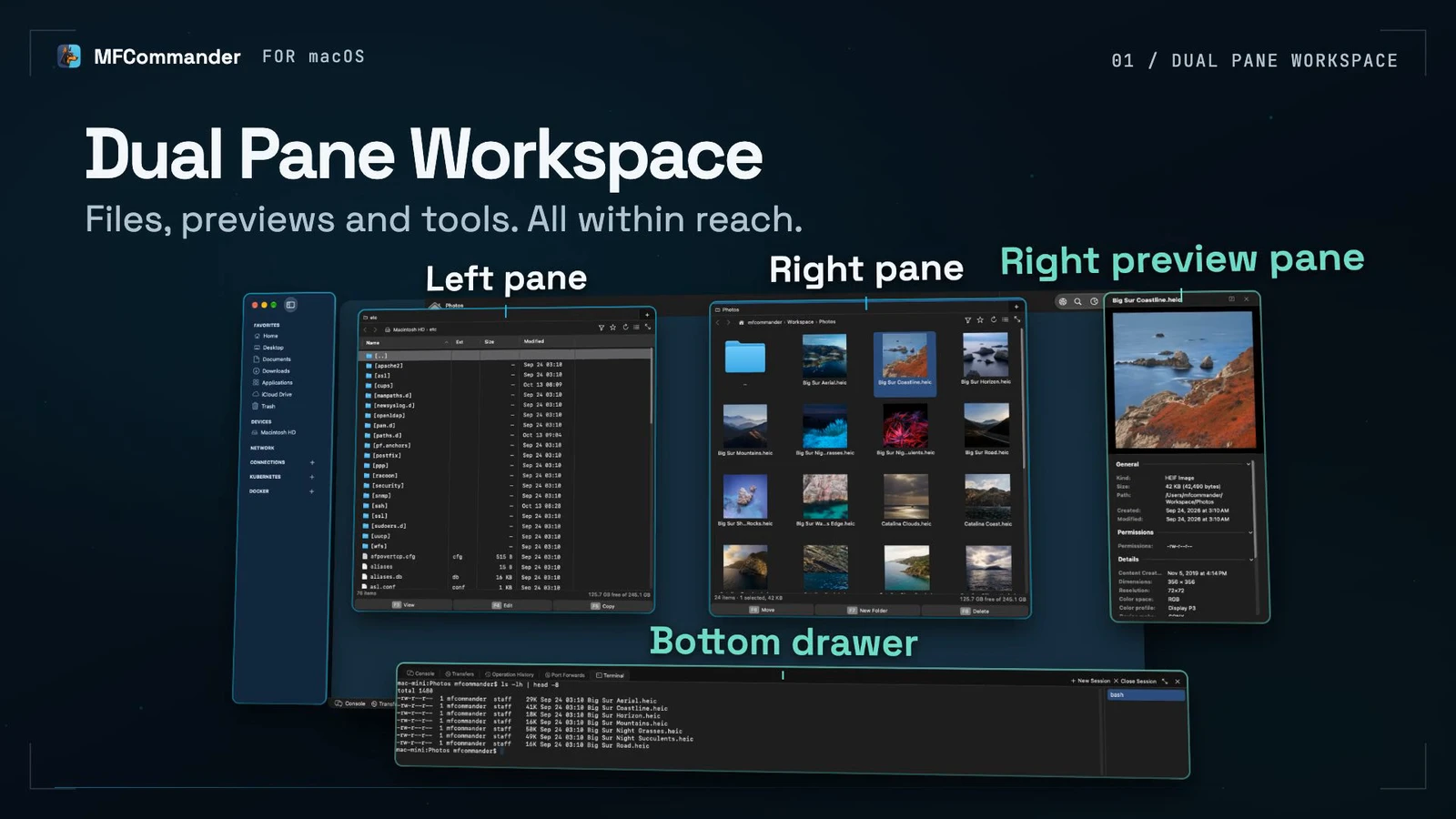
Work with local and remote files, cloud storage, Docker, Kubernetes, PVCs, and volumes in the same two-pane workspace.

Download

14-day full-feature trial. Community is free, forever. No credit card required.

macOS 14 Sonoma or later · Apple silicon · 43.9 MB · Version 0.3.0

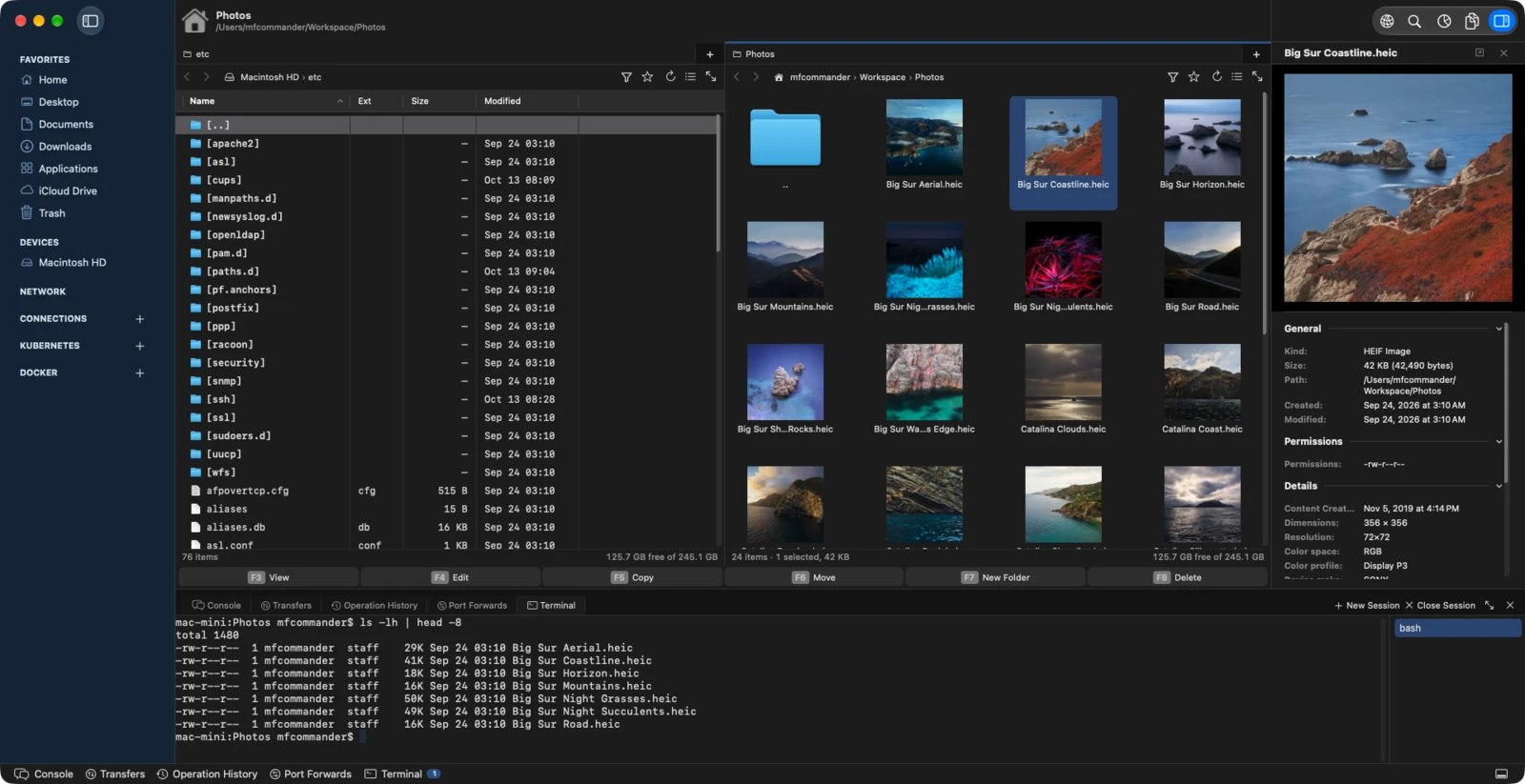
MFCommander with two panes open: a detailed listing of a local system folder on the left, and a grid of photo thumbnails on the right, with SFTP, FTP, and Docker connections in the sidebar.

Key features

Dual-pane workspace

Put local and remote locations side by side, then copy or move between them.

Huge-file viewer

Read text, logs, and hex without loading the whole file into memory.

Documents and media

Open Office and iWork documents, images, audio, video, code, and archives.

Docker and Kubernetes

Browse resources, follow logs, and work with PVC or volume files.

All core features are free, forever.

Community includes the complete local file workspace, every viewer, archives, search, and iCloud Drive. It remains available after the trial ends.

We will never nag you to buy. The trial ends with a single notice and Community keeps working, with no countdown in the toolbar and nothing in the workspace held back as a demonstration of itself.

Download
Illustration of a dark-mode dual-pane file manager in one window, with a sidebar, tabs, and toolbar.

Dual-pane workspace

Independent panes, tabs, breadcrumbs, sortable columns, favorites, and hotkeys. Every copy, move, and delete is recorded in an operation log, and the reversible ones can be rolled back.

Illustrated document, spreadsheet, presentation, image, audio, video, code, and archive file icons.

View almost any file

View documents, spreadsheets, presentations, images, audio, video, code, Markdown, property lists, and EPUBs.

Illustration of a small viewport reading part of a much larger text file.

View huge files with flat memory

The text and hex viewer reads only the visible viewport. Syntax highlighting and search also stay bounded to the data you are viewing.

Illustration of search, folders, file details, and an archive box.

Search, inspect, and organize

Browse archives as folders, search names and contents, inspect metadata, preview files, and follow growing logs. Disk Usage shows where the space went and Duplicate Files finds what is stored twice.

Pro adds remote and cloud connections.

Put a server, NAS, bucket, or cloud drive in either pane. The same view, search, copy, move, and follow actions continue across the connection.

Servers and NAS

Connect directly with SMB, SFTP, FTP, and NFS. No Finder mount is required for the in-app SMB and NFS clients.

Object storage

Browse Amazon S3 and S3-compatible storage as folders, including copy, move, search, and ranged viewing.

Cloud drives

Open OneDrive and Dropbox beside local or remote locations without switching to a separate transfer application.

Large remote files

Supported providers can read only the byte ranges the viewer needs, so a large remote log or object does not require a full download.

MFCommander Infra

Infra adds Kubernetes and Docker.

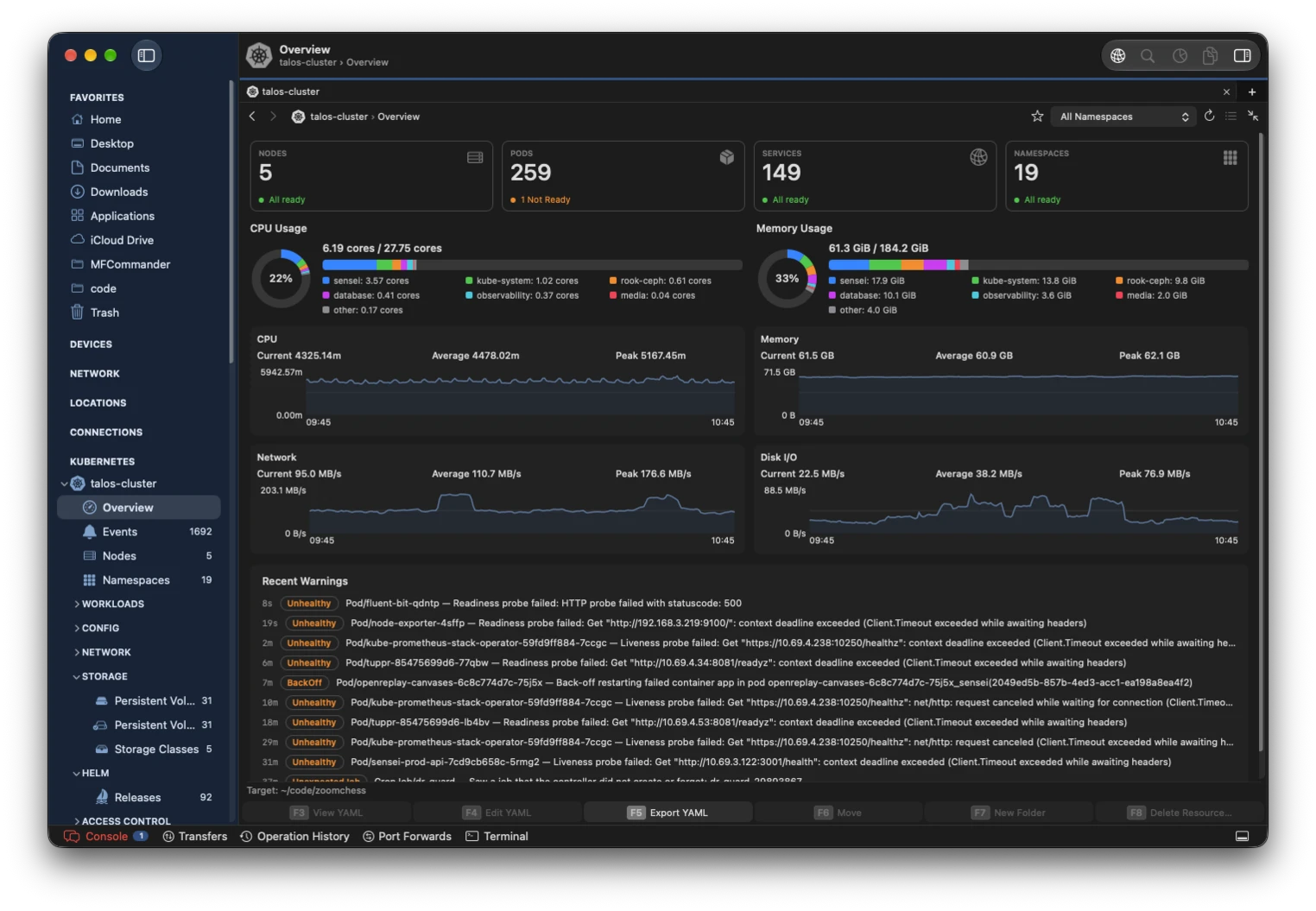
Browse resources, inspect health, follow logs, edit YAML, run guarded actions, and work with PVC or volume files without leaving the two-pane workspace.

Health and metrics

See resource counts, warnings, CPU and memory use, monitoring history, and Docker disk usage.

Resources and relationships

Browse workloads, storage, networking, Helm, RBAC, and discovered CRDs, then follow related resources in place.

Logs, YAML, and actions

Merge logs from multiple pods or containers, validate and apply YAML, and use resource-aware actions.

PVC and volume files

Open Kubernetes PVCs and Docker volumes as folders. View or copy files in either direction through ranged reads and writes.

Opening a Kubernetes PVC as a file pane, then copying a file to the Mac with F5.

Choose the connections you need.

One download provides a 14-day trial of every edition. Community is free, forever. A paid license is a one-time purchase with 12 months of updates, covers up to five Macs you own, and the last covered version remains yours to use forever.

COMMUNITY
$0

Local file management and every built-in viewer.

  • ✓ Dual panes, tabs, and file operations
  • ✓ Huge-file, document, image, and media viewers
  • ✓ Archives, search, and iCloud Drive
Download
LAUNCH PRICING
PRO
$29.99
$49.99 regular

Adds direct remote, object storage, and cloud connections.

  • ✓ Everything in Community
  • ✓ SFTP, FTP, NFS, SMB, and S3
  • ✓ OneDrive and Dropbox
Buy Pro
LAUNCH PRICING
INFRA
$99.99
$149.99 regular

Adds Kubernetes and Docker resource and data operations.

  • ✓ Everything in Pro
  • ✓ Resources, metrics, logs, YAML, and actions
  • ✓ Kubernetes PVC and Docker volume files
Buy Infra

Launch pricing ends 31 October 2026. Checkout, tax, and receipts are handled by Polar. Purchases have a 14-day refund policy.

Full licensing terms, the edition comparison, and team pricing are on the pricing page.

Frequently Asked Questions.

Is Community really free?

Yes. The initial 14-day trial unlocks Pro and Infra. When it ends, the local file manager, all viewers, archives, search, and iCloud Drive remain available as Community.

Is a paid license a subscription?

No. Pro and Infra are one-time purchases. The license includes 12 months of updates, and you can continue using the last version covered by the license after that period.

How many Macs does one license cover?

Up to five Macs you own or control, such as a desktop, a laptop, and a spare. The allowance covers your own machines rather than five different people. If you need licenses for a team, email [email protected] for volume pricing.

Which Macs are supported?

The current release requires macOS 14 Sonoma or later on an Apple silicon Mac.

Why is MFCommander distributed outside the Mac App Store?

Several direct server and infrastructure integrations do not fit the App Store sandbox. The downloaded application is signed with an Apple Developer ID and notarized by Apple.

Do files or credentials pass through MFSoft?

No. Connections run directly from your Mac to the provider you configure. MFSoft does not receive file contents, names, paths, connection details, or credentials. See the Privacy Policy for telemetry details.

What does Kubernetes or Docker require?

Kubernetes uses your kubeconfig and the installed kubectl command. Docker uses the installed Docker command and its current context. Both browsers support a read-only mode for safer inspection.

Can I try Infra before buying it?

Yes. Every download includes the complete Pro and Infra feature set for 14 days, with no payment details required.

What is the refund policy?

Email support within 14 days of purchase for a full refund. No reason is required. This is in addition to any statutory consumer rights that apply to you. Read the Refund Policy.

Try all features for 14 days.

No account or credit card is required. If you do not buy a license, MFCommander continues as the free Community edition.

Download